Used well, a WhatsApp Channel is a simple way to reach a lot of people at once. This guide covers how to set one up and get the most out of it for a campaign.
A Channel is a one-way broadcast feed: followers subscribe, you post, and updates land in a dedicated Updates tab, separate from personal chats. Unlike a group or a broadcast list, anyone can follow without you exposing your number or theirs, and there is no practical follower ceiling. Meta has leaned into Channels since 2023 and pushed them harder across the app through 2025, which makes now a good time for organizations to claim their space. The one trade-off to plan around: because channel posts sit in the Updates tab and notifications are muted by default, reach depends on followers choosing to look, a gap we address at the end. WhatsApp is also testing a move of channels into the Chats tab, which we cover below.
Setting up and promoting your channel
The first job is promotion. Put your channel link where people already are: email signatures, your website, social media. Add a QR code to newsletters and event materials so people can join in one scan. Meta’s own guide to setting up Channels has the step-by-step.
Example: an environmental campaign can put the link in email footers and on event posters, with a QR code that takes people straight to the channel.
What to post
Aim for about one solid update a day. Use WhatsApp’s images and video where they add something, and end each post with a clear ask, register for an event, join a discussion group.
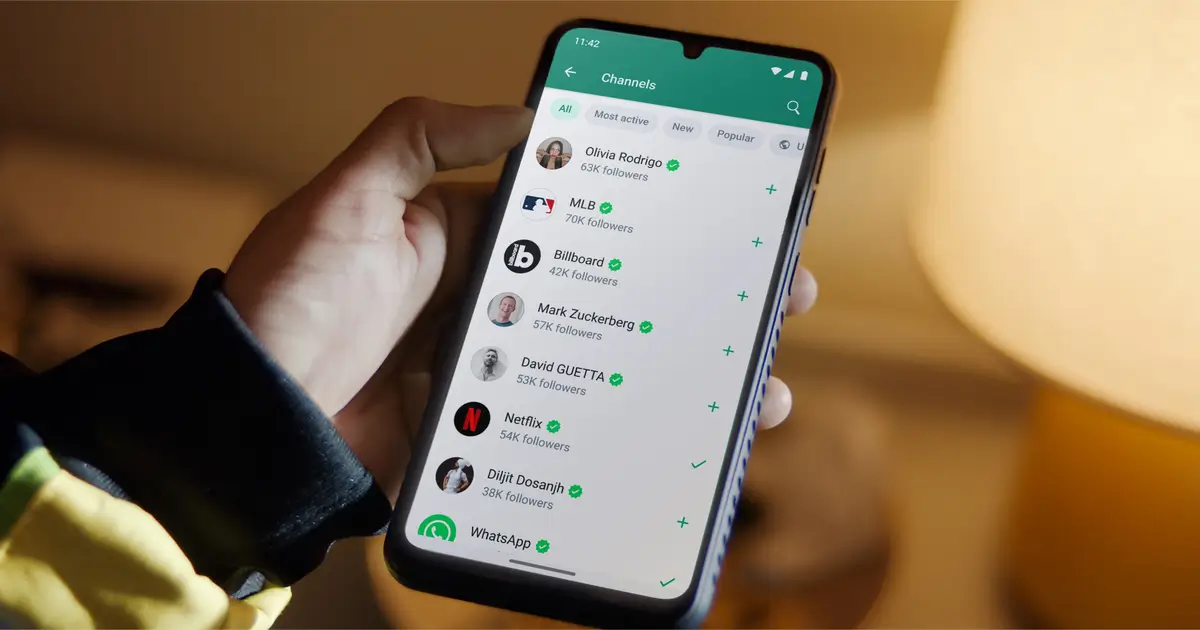
Use the directory: WhatsApp has a channel directory you can filter by country and popularity, which helps new followers find you. It also lists channels that are new, most active, or have the most followers.
Tip: a few emojis can break up a long message and make the key points easier to scan.
Tracking what works
Channels give you a follower count and per-post view and reaction totals, but no click data, so add your own. Tag the links you post with UTM parameters (ideally on your own domain, which avoids an extra redirect and keeps the URL trustworthy), or use a shortener like Bitly for a quick trackable link. Either way you learn which posts drive action and can refine your content accordingly. For a benchmark, our dataset of political parties on WhatsApp tracks the follower counts of party Channels across Europe.
Channels also let followers react with emojis. Individual reactions are private, but the total count tells you roughly how a post landed.
Sending followers to more interactive spaces
A channel is one-way, so point followers to places they can take part. Post links to WhatsApp groups for discussion or live Q&As. And when you write a post people are likely to forward, include a link back to the channel so new people can follow.
This is also featured in our 6 best WhatsApp strategies for Political Campaigns article, where you’ll find more examples and ideas on how to use WhatsApp channels, structured groups and communities, or deploy chatbots for political and social campaigns.
Example: a campaign can announce a monthly Q&A on the channel and use it to fill the discussion group with engaged people.
A few things that help
- Ask followers to turn on notifications, posts are muted by default, so this is what gets your updates seen.
- Cross-promote: link to the channel from your other platforms so people have more ways in.
- Keep a simple content calendar with a mix of posts (policy notes, community stories, behind-the-scenes) so there is a reason to keep following.
Channels may be moving to the Chats tab
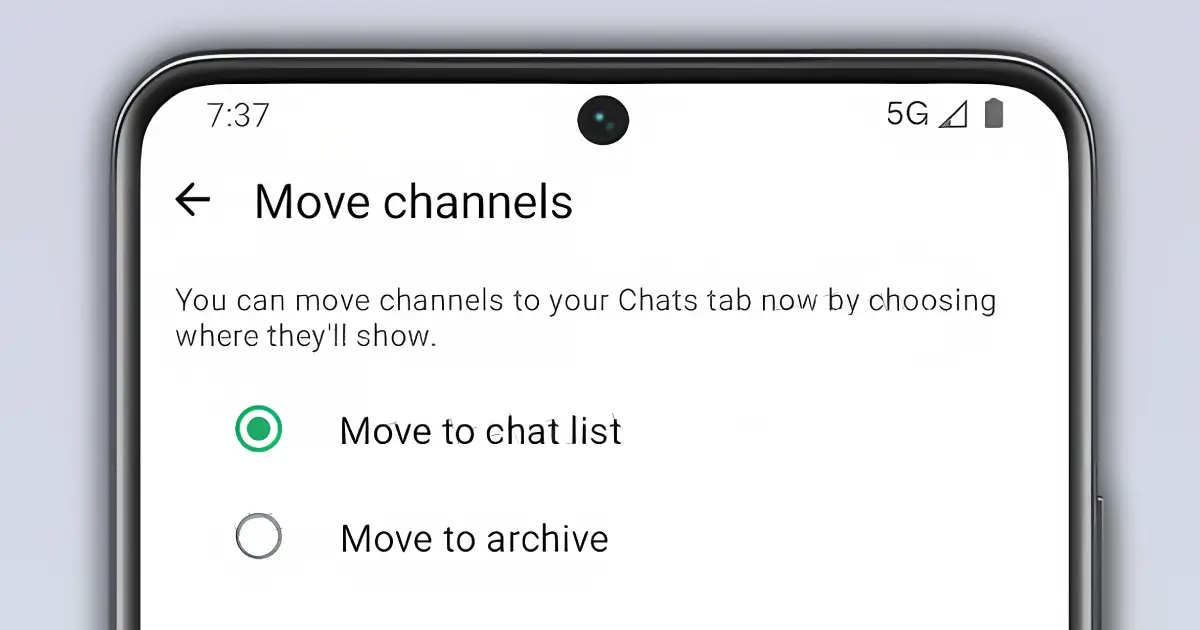
The Updates-tab problem could ease soon. WhatsApp is testing channels in the Chats tab in a beta for Android (2.26.39.1, spotted by WABetaInfo). Followers get a prompt: move their channels into the chat list, or into the archive. For people who pick the chat list, WhatsApp is trying three layouts: channels mixed into the All list, channels only behind a "Channels" filter, or a single Channels folder. The Updates tab would go and a Contacts tab would take its place. It's still in development and has no release date.
How much this helps an organization depends on which layout ships. Mixed into All, your posts would sit next to people's family and work chats. Behind a filter, very little changes. The prompt is a risk too, because a follower who taps "Move to archive" will see your channel less than they do now. When the prompt starts reaching people, post something asking followers to keep your channel in their chat list, and keep asking them to turn notifications on, since nothing in the beta says channels stop being muted by default.
When a Community reaches further than a Channel
Channels win on discoverability and unlimited followers, but their muted-by-default notifications mean many followers simply never see a given post. When it is critical that most members actually receive a message (a mobilization, an event, a vote reminder) a Community announcement group is often the better tool: it lands in the Chats tab with notifications on by default, reaches up to 5,000 members, and keeps their phone numbers hidden. The trick of running a Community with no sub-groups purely as a high-visibility announcement feed is covered in The Empty Community Hack. Many organizations run both: a Channel to gather followers publicly, a Community to guarantee reach to the committed.
Put together, these make a channel a solid outreach tool for a political or social organization. For more advanced setups (chatbots, a shared inbox, the official API) see our WhatsApp automation guide.
Frequently asked questions
What is the difference between a WhatsApp Channel and a group?
A Channel is a one-way broadcast feed in the Updates tab: followers can react with emojis but can’t reply, no one’s phone number is exposed, and there is no follower limit. A group is a two-way chat capped at around 1,024 members where participants can message each other. Use a Channel to broadcast to a wide audience, and groups to host discussion among the engaged.
Do followers get notified about new channel posts?
Not by default. Channel notifications are muted unless a follower turns them on, and posts live in the Updates tab rather than in Chats, so reach depends on people choosing to look. When it’s essential that most members see a message, a Community announcement group (which notifies by default and reaches up to 5,000 members) is a better fit.
Can political and social organizations use WhatsApp Channels?
Yes. Channels are an ordinary app feature open to everyone, unlike the official Business API, which restricts political use. That makes Channels one of the safest broadcast tools for a party, campaign, NGO or community group, pair them with groups, Communities and broadcast lists for a full strategy.
How do I get more followers on my WhatsApp Channel?
Put the channel link everywhere (email footers, your website, social bios) and use a QR code on print and at events. Post one substantial update a day with a clear call to action, and use the in-app channel directory (searchable by country and popularity) plus forwarding, where each forwarded post links back to your channel, to attract new subscribers.
Are WhatsApp Channels moving to the Chats tab?
WhatsApp is testing it in a beta for Android. Followers would choose between keeping channels in their chat list or archiving them, and the Updates tab would be replaced by a Contacts tab. It's still in development with no release date, and nothing in the beta says channel notifications stop being muted by default.