Political and social campaigns need practical ways to reach supporters and get them to act. WhatsApp gives you a direct line to voters: messages go straight to their phones. If you are still weighing WhatsApp against text messages, our WhatsApp vs SMS comparison for campaigns in Europe sets the two side by side.
Each WhatsApp feature works a bit differently, so it pays to plan how you use them. This guide covers structured group networks, channels, and chatbots for political organizations.
1. WhatsApp channels: how to make them work
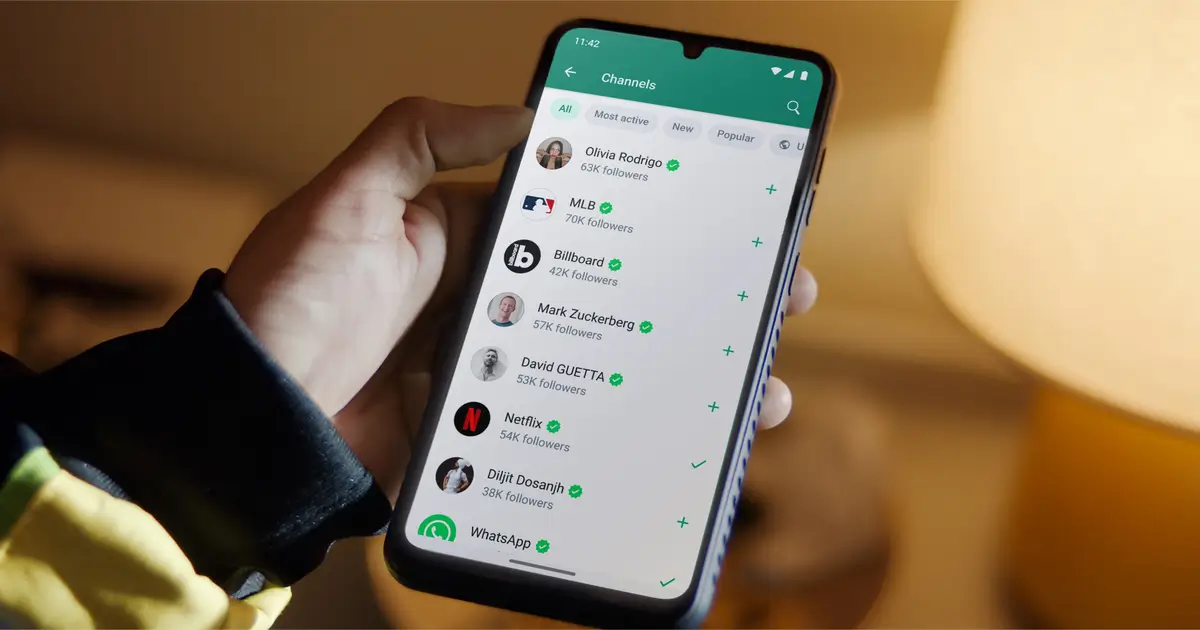
WhatsApp Channels let you broadcast to followers without filling up their regular chats. They are built for short, one-way updates.
How to set up a channel that works:
- Promote it: Put the channel link in your email footer, on your website, and in your social media bios. QR codes work well for print.
- Post about once a day: Enough to stay visible without wearing people out. Use WhatsApp’s built-in media to add images or video where they help.
- End with a clear ask: Close each post with one specific action, such as visiting a page, signing a petition, or joining a group.
- Use a link shortener: Bitly and similar tools let you see how many people clicked, so you can tell what is landing.
- Send people to your groups: Now and then, post a link to a related group so followers can move into a more interactive space.
Keep the tone human. A channel that reads like a press office is easy to mute. One that sounds like a person gets forwarded.
2. Structure your WhatsApp groups
A bit of structure makes a campaign much easier to run. When your groups are organized, you can send the right message to the right people instead of blasting everyone.
- Split by topic: Separate groups for policy debate, volunteer coordination, or specific issues keep each discussion focused.
- Split by area: Regional groups let you talk about local issues, which tends to land better with constituents.
- Decide who can post: Use open groups for general discussion (they need active moderation) and closed groups for official messages from campaign leaders.
- Share invite links widely: Send group links through email and newsletters, and add them to your printed and online ads.
- Give trusted people admin rights: Campaign members you trust can approve content and keep members engaged.
Adjust as you go. Watch how people participate and change the groups when something is not working. For more on structuring outreach, see our WhatsApp automation guide.
3. WhatsApp Communities: do they work?
A WhatsApp Community groups several related chats under one roof, which is handy for tying the different parts of a campaign together.
- Set a clear goal: Decide what each community is for, whether that is local engagement or coordination between teams.
- Let people move around: Encourage members to join whichever groups interest them, so they land where they are most useful.
- Use the announcements tab: Post key updates and events there so every member sees them.
Communities need steady moderation and new content, or they go quiet. Give new members a simple way in so they know where to go. And if you want the announcement reach without running lots of sub-groups, the empty-community hack runs a Community as a single broadcast feed with notifications on.
4. Broadcast lists for activists
Broadcast lists let an activist message everyone on a list at once, but each person receives it as a normal one-to-one chat. It reaches a lot of people while still feeling personal.
- Train your activists: Show them how to use broadcast lists so messages read personally instead of like spam.
- Start with people they know: Contacts already in someone’s phone tend to reply more, because the trust is already there.
- Write for a reply: Ask for one specific action and keep the wording personal.
5. Set up a WhatsApp chatbot
A chatbot can answer voters at any hour and tailor its replies to what each person asks.
- Find the common questions: Work out where an automatic reply helps, such as your positions on issues or event details.
- Pick a tool: No-code platforms like ManyChat and Chatfuel work well, or build flows and forms with Landbot, which also runs on the web without the WhatsApp API. For step-by-step builds, see our guides to a ManyChat autoresponder, a Chatfuel AI chatbot and a Landbot chatbot.
- Add AI for the harder questions: Let AI handle the more open conversations and respond based on what each contact says.
6. Sending WhatsApp messages at scale
Mass messaging reaches a lot of people fast, but you have to stay within WhatsApp’s rules and respect what people want to receive.
- Choose the right tool: Use an official WhatsApp Business API provider like Wati for approved template broadcasts where the official API is open to you. For campaigns that cannot get API access, such as political parties, pair a tool like n8n with an unofficial WhatsApp API.
- Keep it tight: Short, clearly formatted messages work best. Use bold for emphasis and add a call to action with a trackable link.
- Protect your numbers: Keep messages relevant and send from numbers that already have a normal chat history, so you are less likely to be flagged as spam.
Rule of thumb: Keep messages under 120 words and put the call to action up front, whether that is joining a group or donating.
Conclusion
For a campaign, WhatsApp is a direct way to reach voters one message at a time. Structured groups, communities, and chatbots each cover part of the job.
Tools like Wati and n8n help, but what matters most is matching your approach to your audience and the rules you have to work within.